Help · The door
Crew and shifts
Post the jobs at your show, hand out one private link, and let your crew pick their own shifts. Everyone who works a shift gets in on a crew ticket, and everyone can see who's doing what.
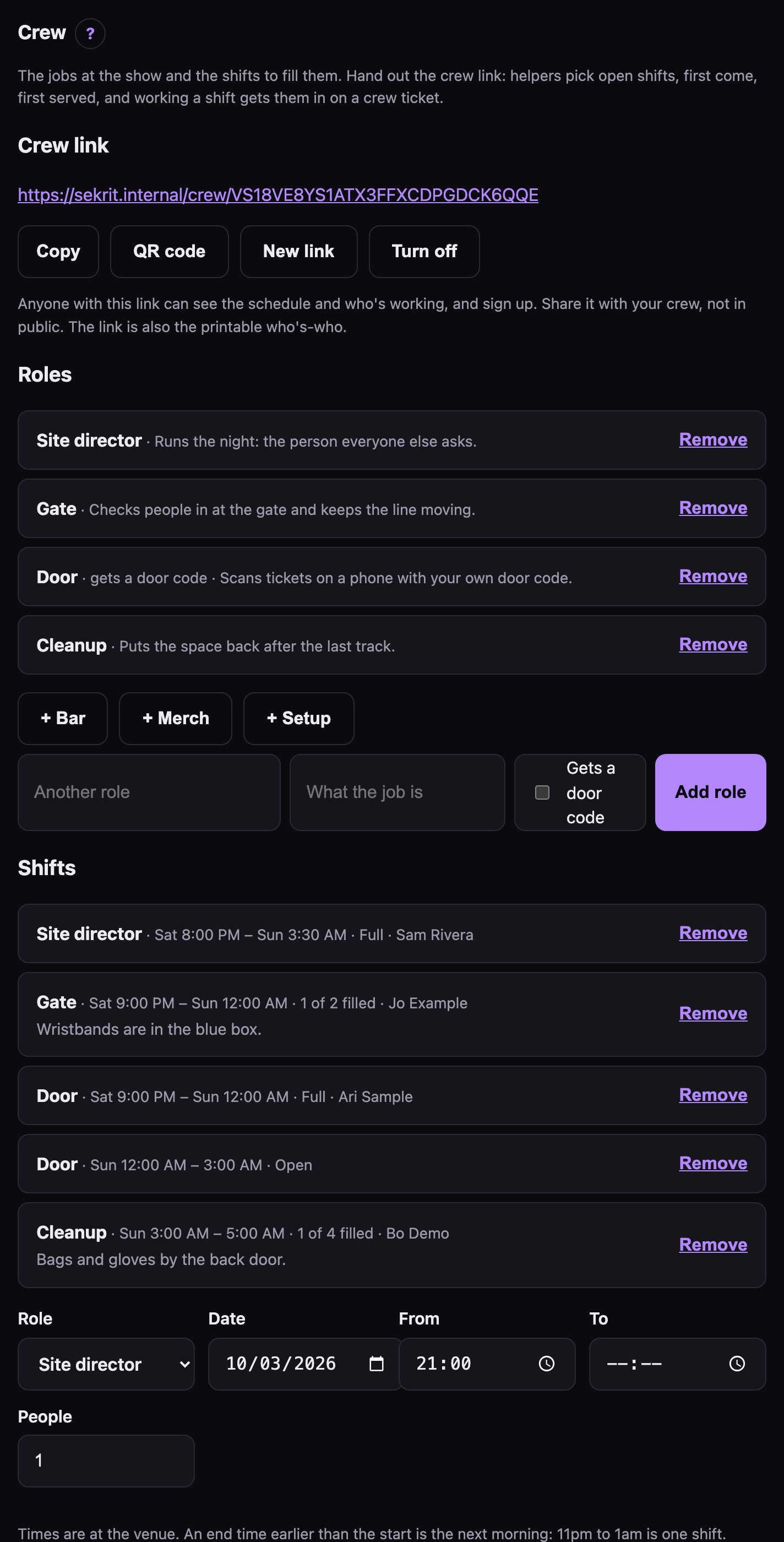 Your side: roles, shifts, the crew link, and who's signed up.
Roles #
Under Crew on the event page, add the jobs your show needs. One click adds the usual ones: Site director, Gate, Door, Bar, Merch, Setup and Cleanup. Or add your own, with a line saying what the job is.
Tick Gets a door code for a role that scans tickets. Whoever takes one of its shifts gets their own door code, on their own page, labelled with their name.
Shifts #
Add a shift for a role: the date, from, to, and how many people it needs. Times are at the venue, and a shift can run past midnight: 11pm to 1am is one shift. Notes go to whoever takes it ("wristbands are in the blue box").
The crew link #
Make a crew link and share it with your crew. Put it in the group chat, or print the QR. The link is the password: anyone who has it can see the schedule and sign up, and nobody else can.
- First come, first served. Helpers pick open shifts. When a shift's full, it's full. Two people can't both get the last spot.
- New link makes a fresh one if the old one got out. The old link stops working straight away.
- Turn off stops new signups. Crew who already have shifts keep them.
The crew page is also the who's-who: every shift with who's on it. It shows names only. Emails and phone numbers are just for you.
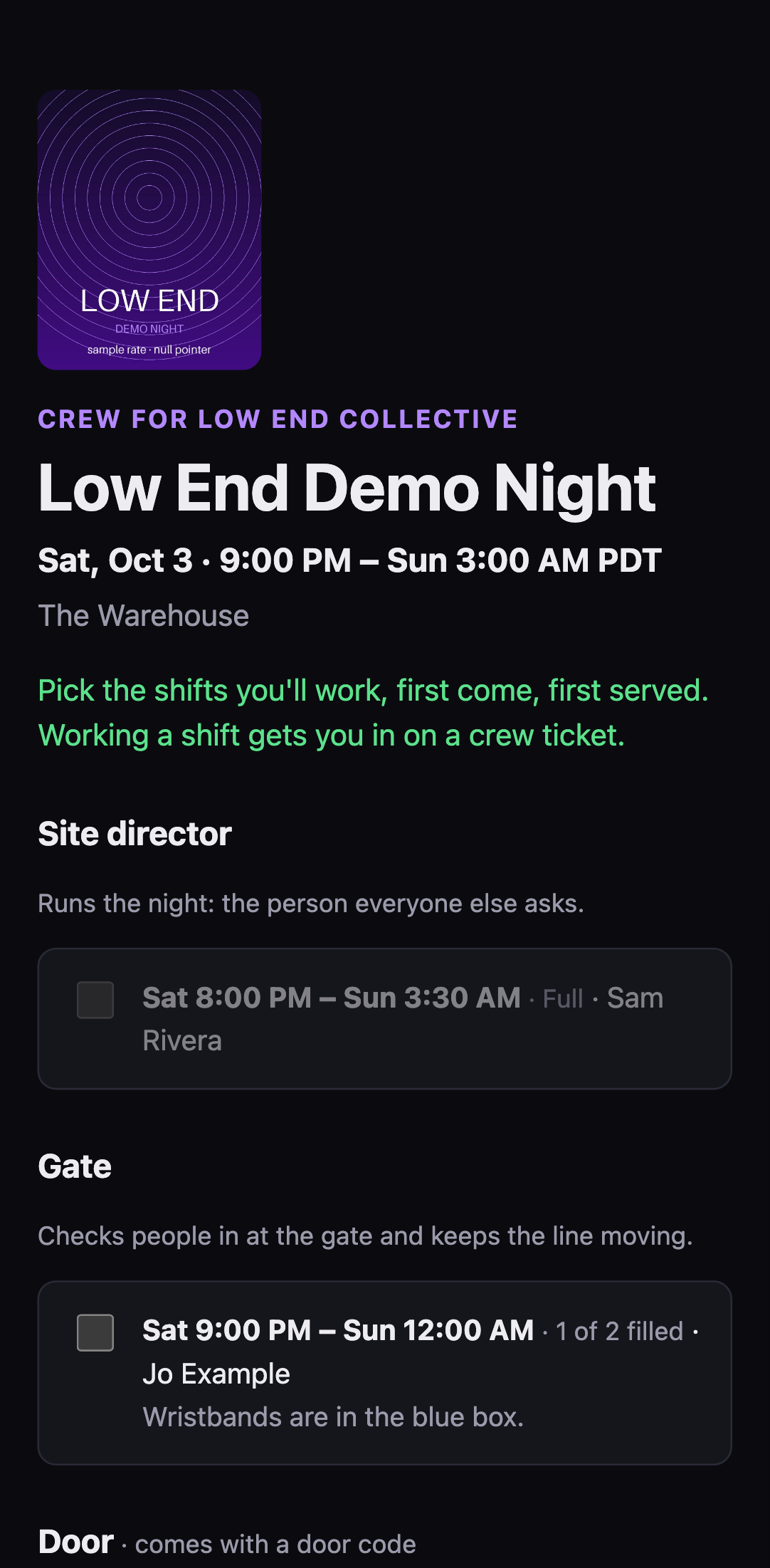 The crew page: pick shifts, and see who's working when.
What a helper gets #
There's a page for your crew, too: I'm working the show walks them through signing up and what they get. Send it with the link.
Signing up gives them their own page. Tell them to bookmark it. It has:
- their shifts, with what the job is and your notes
- a crew ticket with a QR code, which gets them in like any ticket. It's one ticket however many shifts they work.
- their door code, if they're working a door shift. The scanner shows their name on it.
- taking another shift, or dropping one. They can drop up to the start of the event. After that, they need to tell you.
Dropping their last shift cancels their crew ticket and gives the place back.
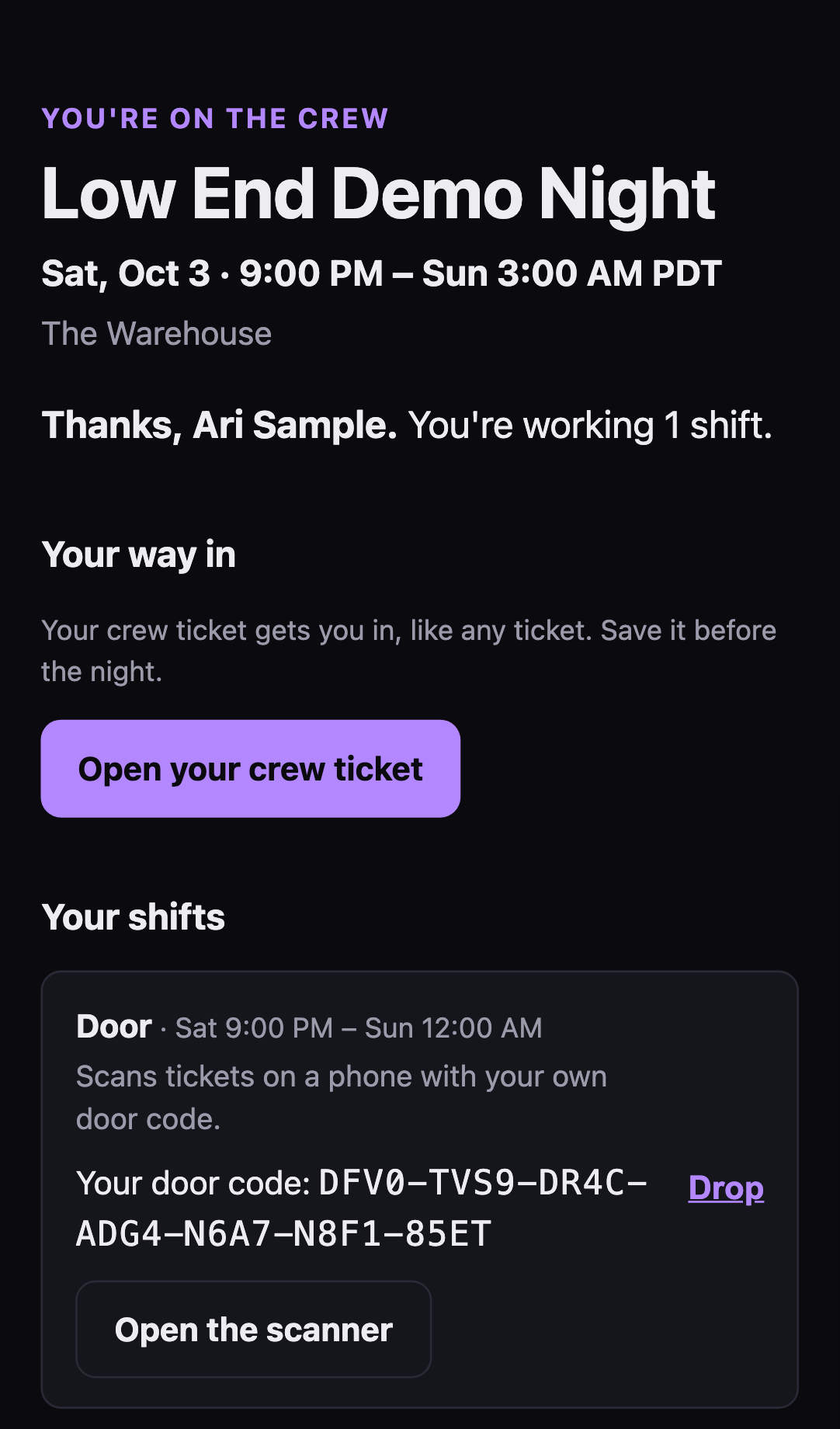 A helper's own page, with their crew ticket and door code.
Your side #
Who's signed up lists everyone, with their email, phone and shifts. Download the crew list gives you the lot as a spreadsheet.
Take off crew removes someone: their shifts open up, their door code stops working, and their crew ticket goes, unless they're already inside.
The fine print #
- Crew tickets count against capacity, like any ticket, so your public count stays honest. Crew are never turned away for a full room, though. You planned them in.
- Crew signup never touches your public RSVP. Anyone with the event link can still RSVP.
- sekrit never pays anyone. Wages, tips and bar cuts are between you and your crew.
- Crew go on your list as crew. They only get your emails if they tick the box.