Help · Attendees
Help for attendees
Do I need an account? #
No. Pick a tier, type your name and email, and your ticket is on the screen. There's nothing to download and nothing to log in to.
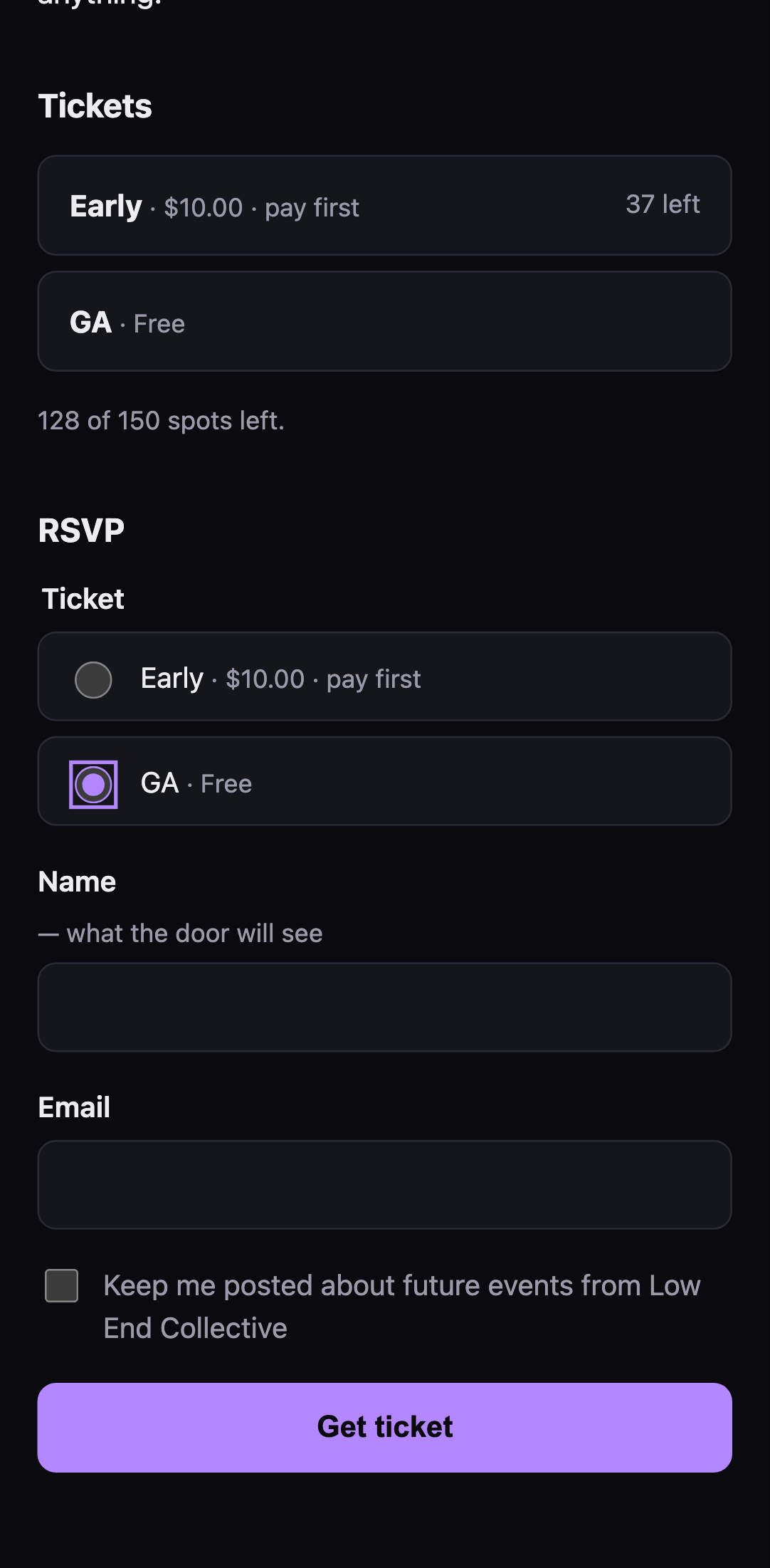 That's the whole thing.
Where's my ticket? #
On the page you landed on right after you RSVP'd — the QR code and a typed code under it. That page's address is your ticket, so:
- Save it. Bookmark it, add it to your home screen, or tap Save ticket to photos to keep a picture of it.
- Check your email. A copy usually comes by email too, "Your ticket: …", with the QR inside it, so it shows even with no signal.
- Don't post it. Anyone with the link or a screenshot of the QR can use it, and it only gets in once.
My ticket won't open #
- No signal at the venue? If you've opened the ticket once before, it opens offline. A screenshot of the QR works too.
- Lost the link? Look for the "Your ticket" email. No email? Get in touch with the promoter. They can see you on their list.
- "This ticket is no longer valid" means the promoter cancelled or removed it. Talk to them.
The QR won't scan #
Turn your screen brightness up. If it still won't read, the door can type the code under the QR instead.
I'm working the show #
If the promoter sent you a crew link, that's where you sign up for shifts. You don't need an account.
- Pick your shifts. The page lists every job (gate, door, cleanup and the rest) with what it involves, when it runs, and how many places are open. Tick the ones you can do.
- Add your name and email. Your phone number is optional, and only the promoter sees it. The rest of the crew only sees your name.
- It's first come, first served. If a shift fills while you're signing up, the page says so and shows you what's still open.
When you're signed up, you land on your own page. Bookmark it: it's how you get back to your shifts. The link usually comes by email too, "You're on the crew: …". It has:
- your shifts, what each job is, and any notes from the promoter
- your crew ticket, which gets you in like any ticket. Open it and save it before the night: signal at the venue can be bad.
- your door code, if you're on a door shift, with a button that opens the scanner. See the door staff card for how to scan.
- Take another shift, and Drop for one you can't do. You can drop a shift until the event starts. After that, tell the promoter.
Dropping your last shift cancels your crew ticket, so the place goes back to someone else.
Who's working when is on the crew page: every shift, with who's on it. You can print it.
Lost your page? Signing up again with the same email won't work. Ask the promoter: they can take you off the crew so you can sign up again.
I RSVP'd but there's no ticket #
Some events are door only: tickets are sold at the door on the day. Your RSVP lets the promoter know you're coming and how many you're bringing. The page you land on after RSVPing is yours to keep, and a copy of its link comes by email. It has the details, and a button if you can't make it after all.
I paid — where's my ticket? #
Some tickets are pay first: the page says so before you RSVP. You get an order page with the amount and a short reference to put on your payment. Your ticket shows up on that same page once the promoter sees your payment and releases it, and by email too: "Payment confirmed: your ticket for …". Keep the page, bookmark it or add it to your home screen, and check back.
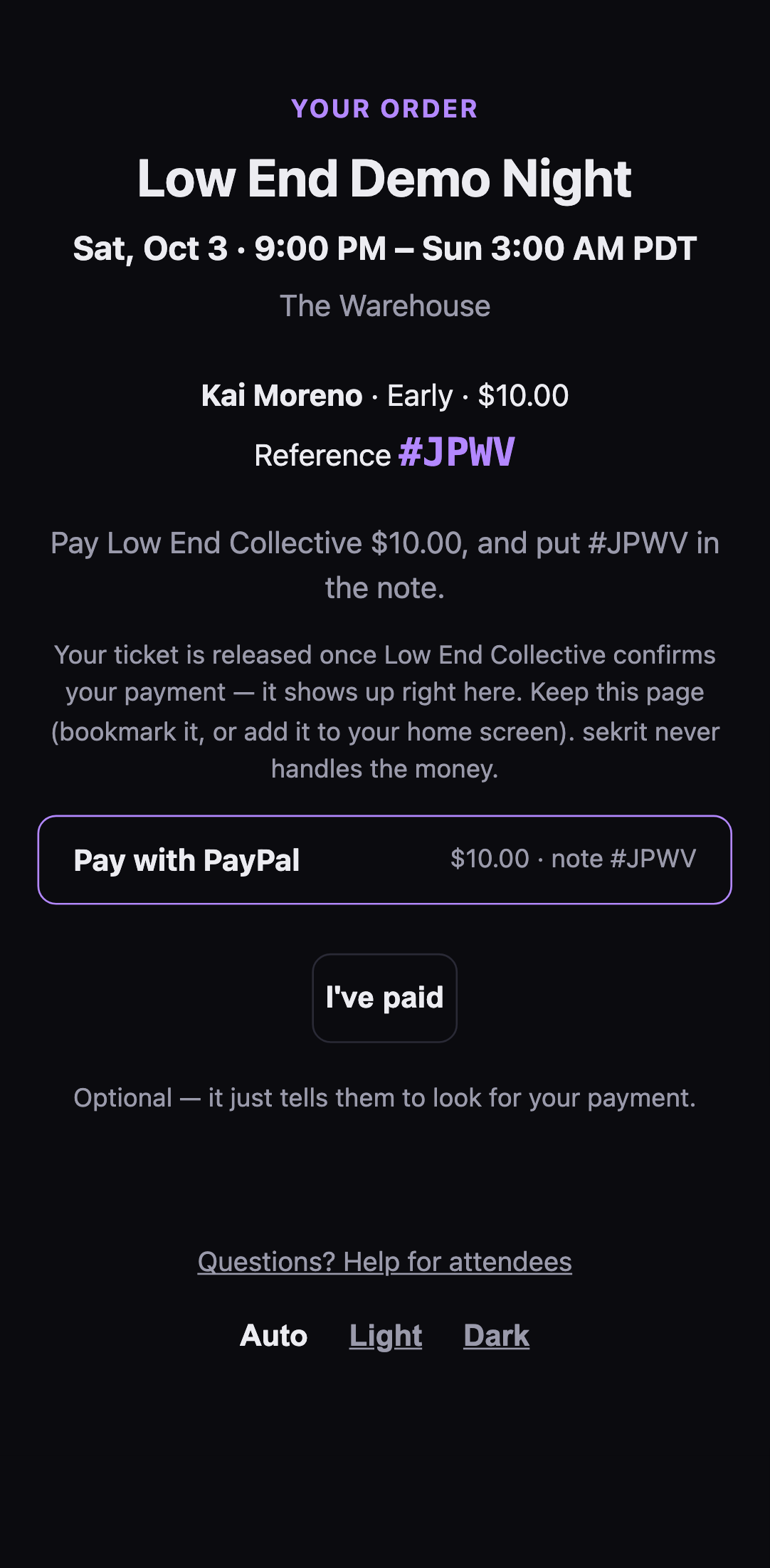 A pay-first order page.
If the event starts or RSVPs close before your payment's confirmed, the hold lapses. If you'd paid, get in touch with the promoter and give them your reference.
I paid — where's my receipt? #
sekrit doesn't handle money. You paid the promoter directly through their own Venmo, PayPal or similar, so the receipt is in that app. Refunds come from the promoter the same way.
Why can't I RSVP? #
The page says why, plainly:
- "This event is at capacity" — the room is honestly full.
- "RSVPs are closed" — the promoter has stopped taking RSVPs, usually because doors are open.
- "This event was cancelled" — it's off.
- "You can't RSVP to this event. Contact the promoter." — talk to the promoter.
There are no invite codes, queues or lotteries. If there's room and RSVPs are open, you're in.
Can I make it light, or dark? #
Yes. At the bottom of every event and ticket page: Auto follows your phone's setting, or pick Light or Dark. Your phone remembers it.
Why did I get this email? #
There are two kinds:
- Your ticket, your order, your RSVP. These come because you RSVP'd or bought, and they're about that one thing.
- Invites and reminders. These come because you're on a promoter's list: you ticked "keep me posted" when you RSVP'd, signed up at a show, or the promoter added you to their list. The bottom of every invite says which.
Either way, the email comes from sekrit with the promoter's name on it, and replying reaches the promoter.
How do I stop getting emails? #
Every invite has Stop getting these at the bottom. Tap it, then Stop these emails, and you're off that promoter's list. Many mail apps also show an Unsubscribe button by the sender's name, and that works too, in one tap.
It's one promoter at a time: leaving D-Program's list doesn't touch anyone else's. Tickets you already have keep working, and you'll still get the email for a ticket you buy.