Help · Promoters
Your list
Your list is yours. Everyone who RSVPs or signs up lands on it, and you can download it any time and take it anywhere.
Who's on it, and who's subscribed #
Your list in the top bar shows everyone: people who RSVP'd, guests with an email, and people who signed up at the merch table or on your site.
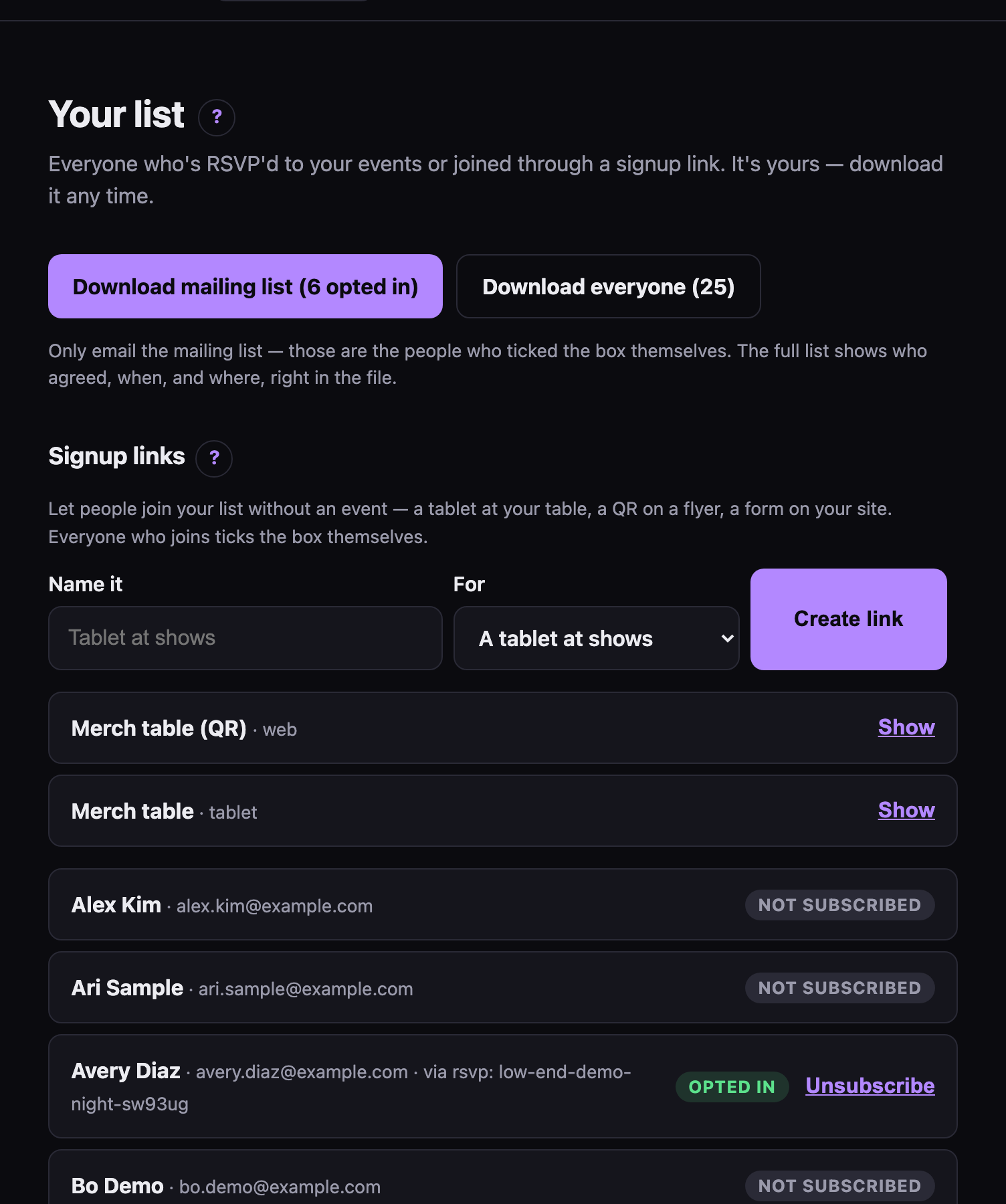 Your list: who came, and who asked to hear from you.
Being on the list isn't the same as being subscribed. People are subscribed when they said yes:
- an RSVP with the "keep me posted" box ticked. It starts unticked.
- a signup form, where agreeing is the point
- a list you uploaded, on your word that those people asked to hear from you
Nobody is subscribed by default, and you can't tick one person on by hand. Each subscribed contact shows where they agreed ("rsvp: bass-night", "signup: Tablet at shows", "import: tsr-list.csv"). If someone ever asks why they're on your list, that's the answer.
Uploading your list #
Already have a list, from SecretParty, Mailchimp, or a spreadsheet you've kept for years? Bring it. Under Upload your list, pick the file. sekrit finds the column of email addresses (and names, if there are any), then shows you what it would do before it does anything:
- how many people are new
- how many are already on your list, and will now get your invites
- anyone who unsubscribed, bounced or marked an invite as spam before. They stay off, whatever the file says.
- anyone you've blocked, who isn't added
- lines with no email that could be read, by line number, so you can fix them
Then tick These people asked to hear about my events, and add them. That box is the consent everyone in the file is emailed on, so only tick it if it's true: people who came to your parties or signed up with you, not a bought or scraped list. Uploads land in your Recent activity, with how many were added.
A list can be a CSV or a plain text file, up to 10,000 people or 2 MB.
Unsubscribing #
Unsubscribe next to anyone takes them off your mailing list. They stay on the list of people who came.
People can leave on their own, too: every invite has a one-click way off your list. Someone whose email bounces (the address doesn't exist) or who marks an invite as spam is marked on your list, and invites skip them from then on.
Downloading #
- Download mailing list — only people who opted in. This is the one to import into your mail tool.
- Download everyone — the whole list, subscribed or not.
Both are CSV and open in any spreadsheet.
Signup links #
Signup links get people on your list without an event: a link for your site, a QR for a flyer, or a tablet at the merch table. See The merch-table tablet.
Blocked emails #
The Blocked section at the bottom is for keeping someone out of your future events. See Keeping the space safe.